What a fillable form actually is
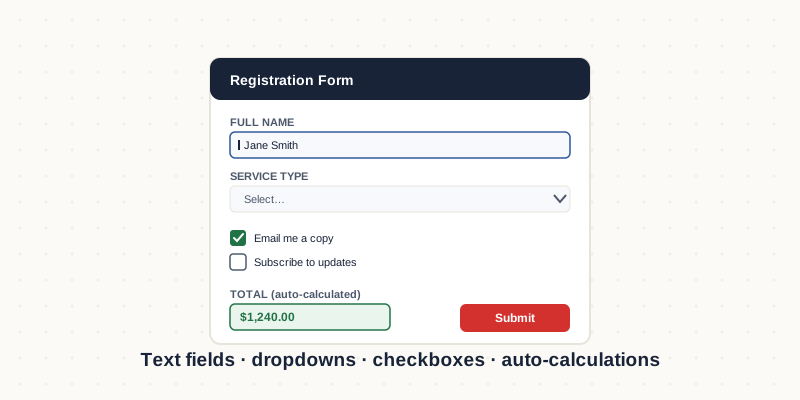
A true fillable PDF has interactive form fields layered over the page: text boxes, checkboxes, radio buttons, dropdown menus and signature areas that users click and complete on screen. This is different from a flat PDF that someone prints, writes on and scans back — the whole point is that the data stays digital, legible and, where you need it, automatically calculated or validated.
Field types and when to use them
Text fields handle names, addresses and free responses. Checkboxes suit yes/no and multi-select answers; radio buttons enforce a single choice from a group. Dropdowns keep long option lists tidy and prevent typos. Date fields can format entries consistently, and signature fields capture a legally usable mark. Choosing the right field type per question is what makes a form quick to complete and clean to process afterwards.
Validation and calculations
This is where forms earn their keep. Validation stops a user entering letters in a phone-number field or leaving a required box empty. Calculations let a form total line items, apply tax, or compute a subtotal automatically as the user types — invaluable on order forms, timesheets and expense claims. Conditional logic can show or hide sections based on earlier answers, so users only see what applies to them.
Why forms break, and how to avoid it
The most common failure is building a form that works in Adobe Acrobat but breaks in the free readers most recipients actually use, or in a browser's built-in PDF viewer. Calculations silently fail, fonts shift, fields lose their formatting. Avoiding this means testing the finished form in several readers before it ships — not just the one it was built in. A form that only works for the person who made it is not a working form.
Need this done rather than explained?
We provide fillable pdf form creation service for businesses in the US, UK and Australia — fixed quotes, human QA on every file, delivered remotely in your time zone.
Hire a Forms Expert →